Which Meta Crawlers to Allow Before 20 November, and What Each One Does for AI Visibility
Meta's new business terms start 20 November. Here's what each of Meta's five crawlers does, which ones affect AI visibility, and three robots.txt setups you can copy.
Last updated 25 October 2026 · By Ashita Jain
Meta's updated business terms take effect on 20 November 2026 and let Meta crawl websites linked to business accounts on Facebook, Instagram, WhatsApp and Threads. Meta says robots.txt still works. It runs five crawlers, and they do very different jobs. Allow Meta-WebIndexer if you want Meta AI to cite you. Decide on Meta-ExternalAgent and Meta-ExternalAds as a business choice. Keep facebookexternalhit so your links still show previews.
If your company has a Facebook Page or an Instagram business account, this applies to you. Here is what changed, what each crawler does, and the exact robots.txt lines to use.
This is a technical guide, not legal advice.
What Meta changed and when
Meta moved the start date of its updated Commercial Terms and Self-Serve Ad Terms from 30 October to 20 November 2026 (Nieman Lab, Fast Company).
The terms cover websites "associated with" business accounts on Meta's apps. After pushback, Meta removed the word "train" and limited use of crawled content to advertising and business products. Meta also said sites can still turn the crawler off with robots.txt. One thing to keep in mind is that, as of 23 October, the terms text itself didn't mention robots.txt. The assurance comes from Meta's statements, not the contract.
Meta confirmed the new date to Reuters on 23 October. When we checked on 25 October, Meta's own terms page still showed 30 October, so the safe move is to have your robots.txt ready before then.
So the practical step is the same either way. Decide what each Meta crawler may do on your site, and write it into robots.txt before 20 November.
The five Meta crawlers and what each one does
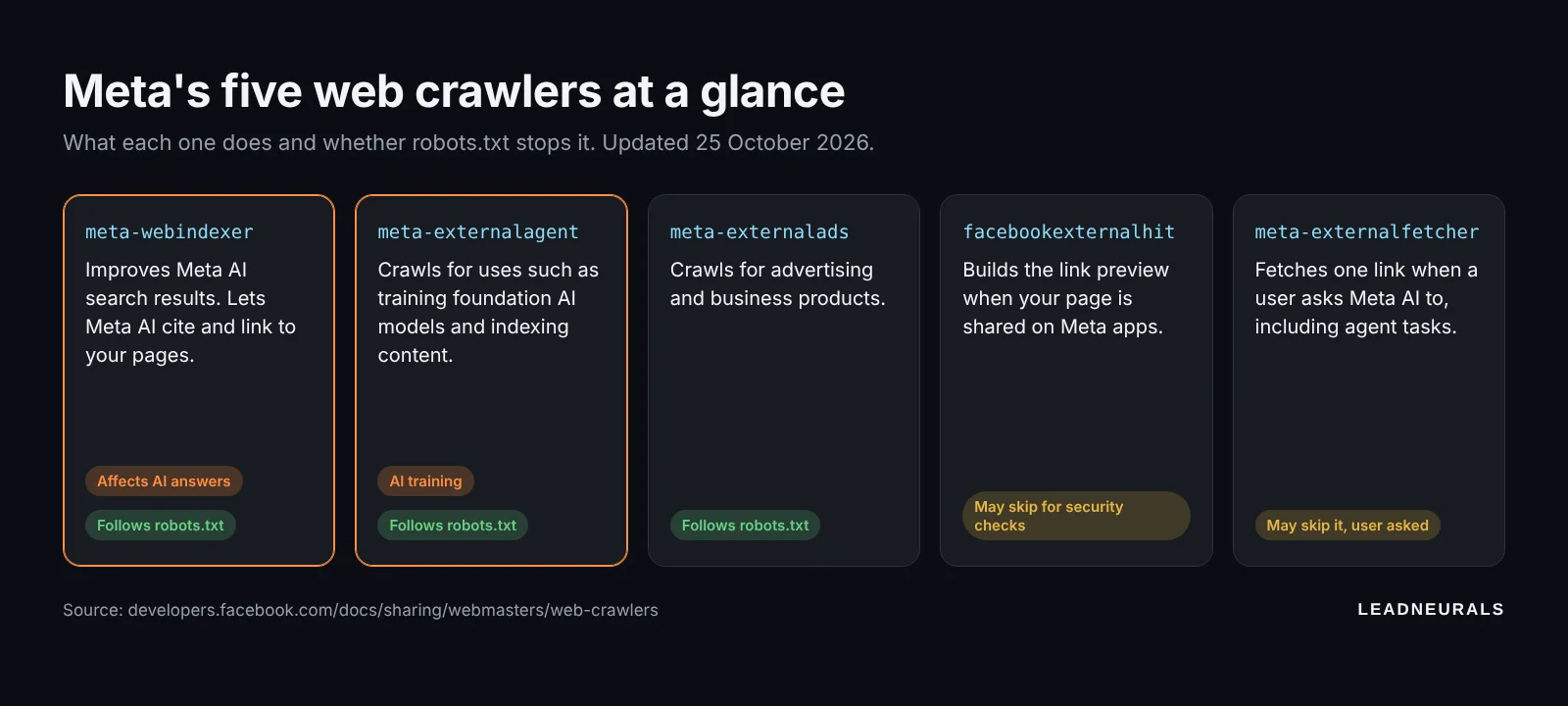
Meta lists five crawlers on its web crawlers page. Only some of them follow robots.txt every time.
| Crawler (user agent) | What it does | Follows robots.txt? |
|---|---|---|
| Meta-WebIndexer | Improves Meta AI search results. Meta says allowing it "helps us cite and link to your content" | Yes |
| Meta-ExternalAgent | Crawls for uses such as training foundation AI models, or indexing content for Meta products | Yes |
| Meta-ExternalAds | Crawls for advertising and business products | Yes |
| facebookexternalhit | Builds the link preview when someone shares your page on Meta apps | Usually, but may skip it for security checks |
| Meta-ExternalFetcher | Fetches a single link when a user asks Meta AI to, including agent tasks | May skip it, because a person asked for the page |
Which ones affect your AI visibility
Two of the five matter most for AI search.
Meta-WebIndexer is the one that can get you cited. It feeds Meta AI's search results. Block it and you remove one of the ways Meta AI can find, quote and link to your pages.
Meta-ExternalAgent is about training and indexing. Blocking it is how you tell Meta not to use your pages for those purposes. It isn't the crawler that decides whether Meta AI links to you in an answer.
The other three don't change AI visibility much. facebookexternalhit only matters for link previews. Block it and your own posts linking to your site lose their image and title card. Meta-ExternalFetcher acts for a user who asked for your page, so robots.txt may not stop it anyway.
Three robots.txt setups you can copy
Pick the one that matches your goal. Each block goes in the robots.txt file at the root of your domain, for example www.yourcompany.com/robots.txt.
Setup 1. Allow everything (most visible). For companies that want the widest reach in Meta AI and don't mind training or ads use.
User-agent: meta-webindexer
Allow: /

User-agent: meta-externalagent
Allow: /

User-agent: meta-externalads
Allow: /

User-agent: facebookexternalhit
Allow: /
Setup 2. Be found, don't train (the middle path). For most B2B companies. You stay citable in Meta AI and keep link previews, but say no to training and ads crawling.
User-agent: meta-webindexer
Allow: /

User-agent: facebookexternalhit
Allow: /

User-agent: meta-externalagent
Disallow: /

User-agent: meta-externalads
Disallow: /
Setup 3. Block Meta's AI and ads crawlers. For companies with content they don't want reused at all. You keep link previews so your social posts still look right.
User-agent: meta-webindexer
Disallow: /

User-agent: meta-externalagent
Disallow: /

User-agent: meta-externalads
Disallow: /

User-agent: facebookexternalhit
Allow: /
You can also block only part of your site. Meta's own example uses Disallow: /private/ to keep one folder out while allowing the rest.
How to check it worked
Meta says its crawlers can cache robots.txt for up to 24 hours, so give it a day after you change the file.
- Open yourdomain.com/robots.txt in a browser and check the new lines are live. A typo in the user agent name means the rule does nothing.
- Check your server or hosting logs for the user agents above, such as
meta-webindexerormeta-externalagent. After 24 hours, blocked crawlers should stop requesting the folders you disallowed. - Share one of your pages in a private Facebook or LinkedIn draft to confirm the preview still loads.
Where this fits in your wider AI search setup
Meta is one of several AI companies that use separate crawlers for search and for training. The same "be found, don't train" logic works for the others, but each one names its crawlers differently.
| Company | Crawler for search and citations | Crawler or token for training | Source |
|---|---|---|---|
| OpenAI | OAI-SearchBot (ChatGPT search) | GPTBot | OpenAI |
| Googlebot (Google Search) | Google-Extended, which Google says doesn't affect Search inclusion or ranking | ||
| Perplexity | PerplexityBot | Perplexity says PerplexityBot isn't used to train foundation models | Perplexity |
| Meta | Meta-WebIndexer | Meta-ExternalAgent | Meta |
A common mistake is blocking every AI user agent in one go and then wondering why ChatGPT or Meta AI never mention you. Blocking a search crawler takes you out of that engine's answers. Blocking a training crawler mostly doesn't.
Allowing a crawler doesn't guarantee a citation. It only makes sure you're eligible. What gets you quoted is clear, specific pages that answer the questions your buyers ask.
FAQ
Should I block Meta's AI crawler? It depends which one. Blocking Meta-WebIndexer removes a way for Meta AI to cite you. Blocking Meta-ExternalAgent tells Meta not to use your pages for training or indexing. Most B2B companies allow the first and decide on the second.
Does robots.txt override Meta's new terms? Meta has said sites can still use robots.txt to turn its crawler off. As of 23 October the terms didn't say so in writing. If this matters for your business, ask your lawyer.
When do I need to change my robots.txt? Before 20 November 2026, when the terms take effect. Meta's terms page still showed 30 October when we checked on 25 October, so doing it this week is safer. Leave at least a day, because Meta's crawlers can cache robots.txt for up to 24 hours.
Will blocking facebookexternalhit hurt my social posts? Yes. It builds the preview card when your link is shared on Meta's apps. Block it and links to your site may show without an image or title.
Not sure what your site is telling AI crawlers?
Most founder-led companies have never opened their robots.txt. It takes us about 15 minutes to check it, along with what ChatGPT, Perplexity and Google's AI Overviews say about you today. If you'd like a second pair of eyes on your AI search setup, talk to LeadNeurals.